





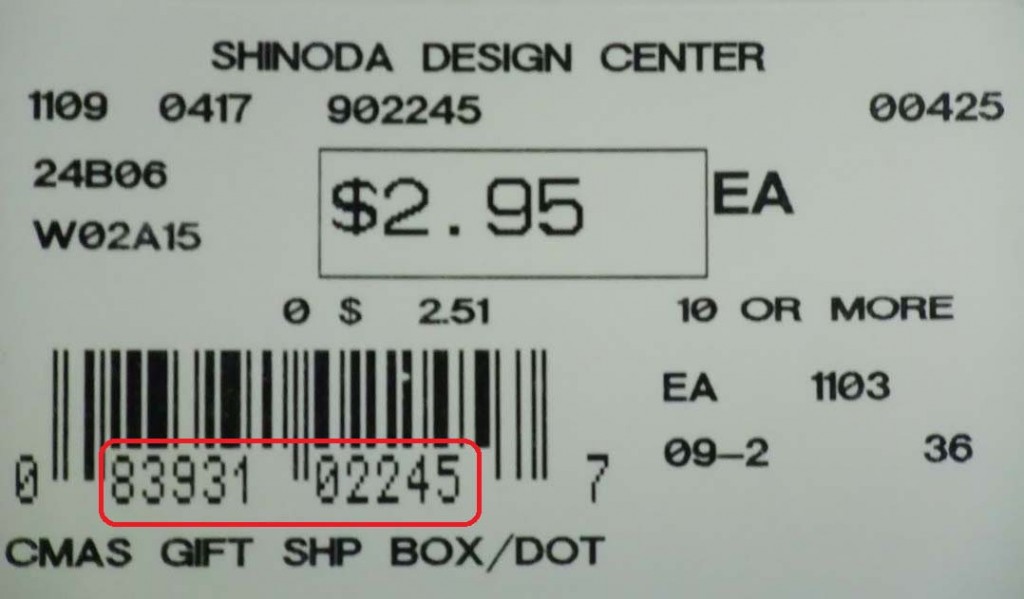
You have been into our warehouse and shopped it. When you get home, you start assembling your project only to find that you are a few pieces short. Your next step is to call and tell us you want more. How do you identify the item?
Whether it be online, or on the phone, giving us the barcode will cut down on the time we have to search for the item. With over 30,000 active items in our warehouses, telling us a name or a simple description often does not help us in locating it. Having the barcode is the surefire way. How do know what the barcode is? Look at the picture above. It is circled in red.
If you want to order an item online, you can check availability by just typing that barcode into our search bar. Our search bar will check every product barcode to find a match. Unfortunately, we still only have about 20% of our items online. So, you might not find them there. If you do not, feel free to email us or call into a warehouse to check availability. Once again, just provide us the barcode and we will look it up for you.
Hope this helps!